

Managing Documents in Unifize with SharePoint
Jarod Markley
Jarod Markley explains how Unifize integrates with SharePoint to manage policies, procedures, work instructions, and other documents. It automates change control, revision tracking, and training assignments, eliminating manual effort while keeping a complete, accessible history of all controlled documents.
Transcript
- 0:04
Document Management, we have our general document hierarchy of policies, procedures, then work instructions, work forms. So we are able to, based on that record type, that document type, able to determine if a change control is necessary for a revision to any of those documents. All of our document uploads, we are able to build a SharePoint file structure that allows us to manage those records internally.
- 0:37
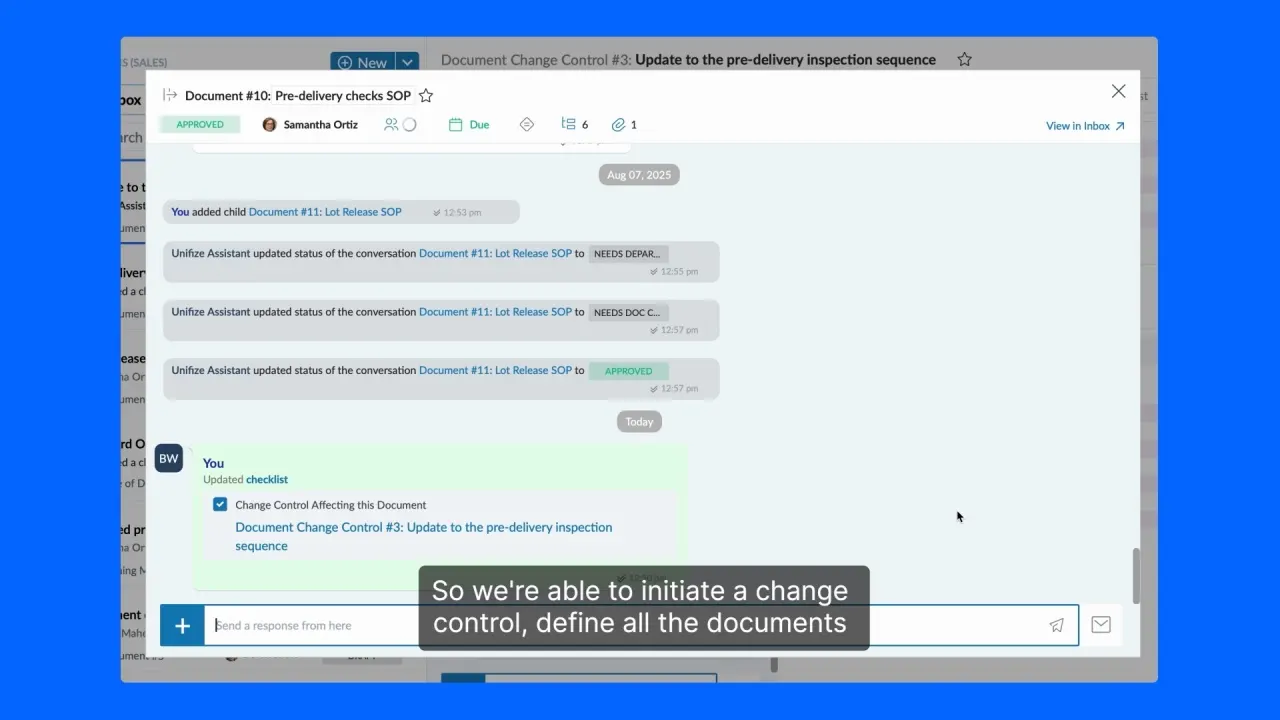
And then through unifies each process mapped to a specific subfolder within SharePoint. So we’re able to initiate a change control, define all the documents that are impacted that are being updated. We’re then able to go in and edit the policies and procedures, work instructions, work forms, whatever is impacted as part of that change control and then approve those independently of the change control.
- 1:07
That way, when revisions are made within Unifize, the system automatically generates that subsequent record in the SharePoint and keeps that history managed within SharePoint as those documents are revised. And with our implementation of Unifize, we have eliminated all of the administrative effort, training goes out immediately for all the configured training groups that, require training for that policy procedure, work instruction or work form.
More from the same world.
The nearest stories first: the same company, then the same industry. Browse them all.
 2:32How Unifize's no-code configuration speeds up implementationClarissa ArcherHarmonic Bionics
 3:23Enabling Supplier Quality on UnifizeClarissa ArcherHarmonic Bionics
 1:36Closing the loop: traceability and lot tracking using UnifizeDenis MachokaHarmonic Bionics
 1:32Using dashboards on Unifize to make management review meetings easierDenis MachokaHarmonic Bionics

Your team has a story like this waiting.
Bring the process that hurts most. We will run it on Unifize, live, on your own work.